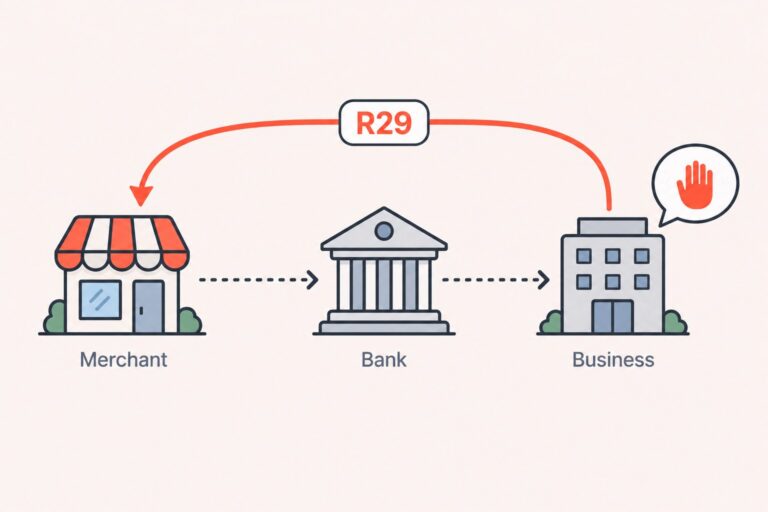
R29 means that a corporate or other non-consumer account holder advised its bank that an ACH debit was not authorized. It is not the same as an insufficient-funds return, and it does not by itself prove that fraud occurred. Pause future debits, review the authorization and payment details, contact the business customer, and confirm your processor’s requirements before creating a new ACH entry.
After a business account is debited through ACH, the entry may be returned with code R29 when the corporate account holder advises its bank that the debit was not authorized.
For merchants collecting business payments through ACH, R29 is an authorization issue that needs a documented response, not an automatic retry.
R29 Return Code at a Glance
| Item | What it means |
|---|---|
| Official description | Corporate Customer Advises Not Authorized |
| Account context | Corporate or other non-consumer account |
| Common SEC context | CCD or CTX entries |
| Typical return window | Generally two banking days from the settlement date |
| First action | Pause recurring debits for the affected account |
| Can you submit the same entry again? | No. Do not make a straight reattempt after an unauthorized return. |
| Next payment step | Resolve the authorization issue, obtain new authorization when required, or use another agreed payment method. |
Businesses evaluating ACH debit and recurring-billing services should confirm the exact return-handling workflow with their processor or ODFI.
What Does ACH Return Code R29 Mean?
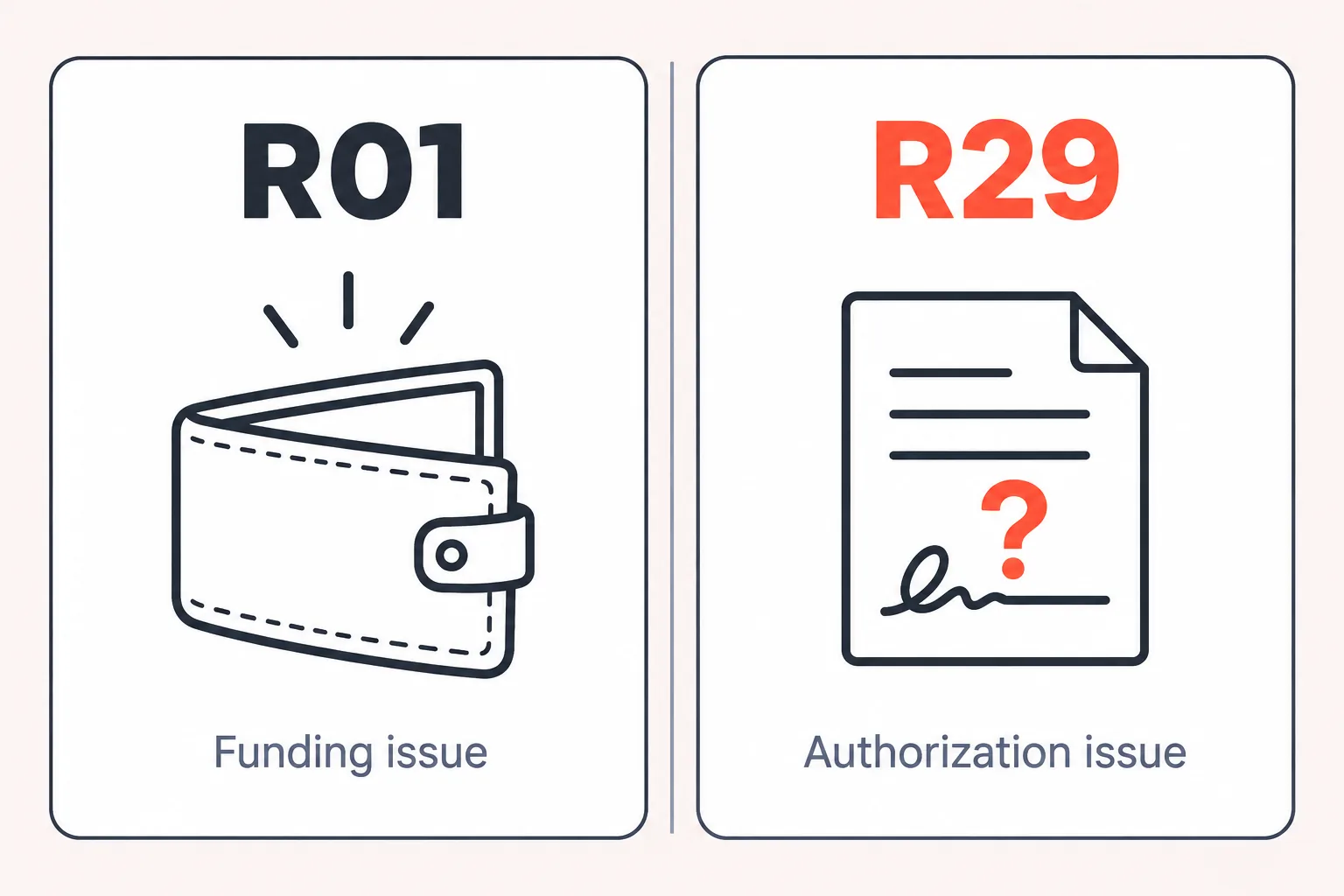
Nacha administers the ACH Network, which processes electronic payments for consumers, businesses, and governments. R29 is labeled “Corporate Customer Advises Not Authorized.” In plain language, the business whose account was debited advised its receiving bank that the originator was not authorized to take the payment.
R29 generally applies to a non-consumer account and commonly appears with corporate SEC codes such as CCD or CTX. It is different from a funding return such as R01 because the return concerns authorization rather than whether the account had enough available money.
The return code records the receiving customer’s unauthorized claim. It is not, by itself, a final finding that the payment was fraudulent or that a contract dispute has been resolved. Your processor, ODFI, and the customer’s bank may apply additional procedures to review the entry.
Common Reasons You Get an R29
An R29 can result from a genuine authorization gap, a bank control, a changed payment instruction, or a misunderstanding inside the customer’s accounts-payable process. The code alone does not identify which explanation applies.
| Possible cause | What to check |
|---|---|
| Authorization cannot be located or matched to the debit | Review the agreement, enrollment record, account information, amount, frequency, and effective date. |
| The person who approved the debit no longer works for the customer or no longer has spending authority | Confirm the current accounts-payable or finance contact and whether the business still approves the payment arrangement. |
| The debit amount, date, frequency, or description changed | Compare the submitted entry with the terms communicated to the customer. |
| The customer did not recognize the billing descriptor | Confirm that the company name or payment descriptor shown to the bank is recognizable. |
| An ACH debit block or filter rejected the entry | Ask whether the bank requires your company name or originator ID to be approved. |
| A cancellation, invoice disagreement, or service dispute was taken to the bank | Resolve the commercial issue directly and do not treat the return code as a final decision about the underlying contract. |
What to Do After Receiving an R29 Return
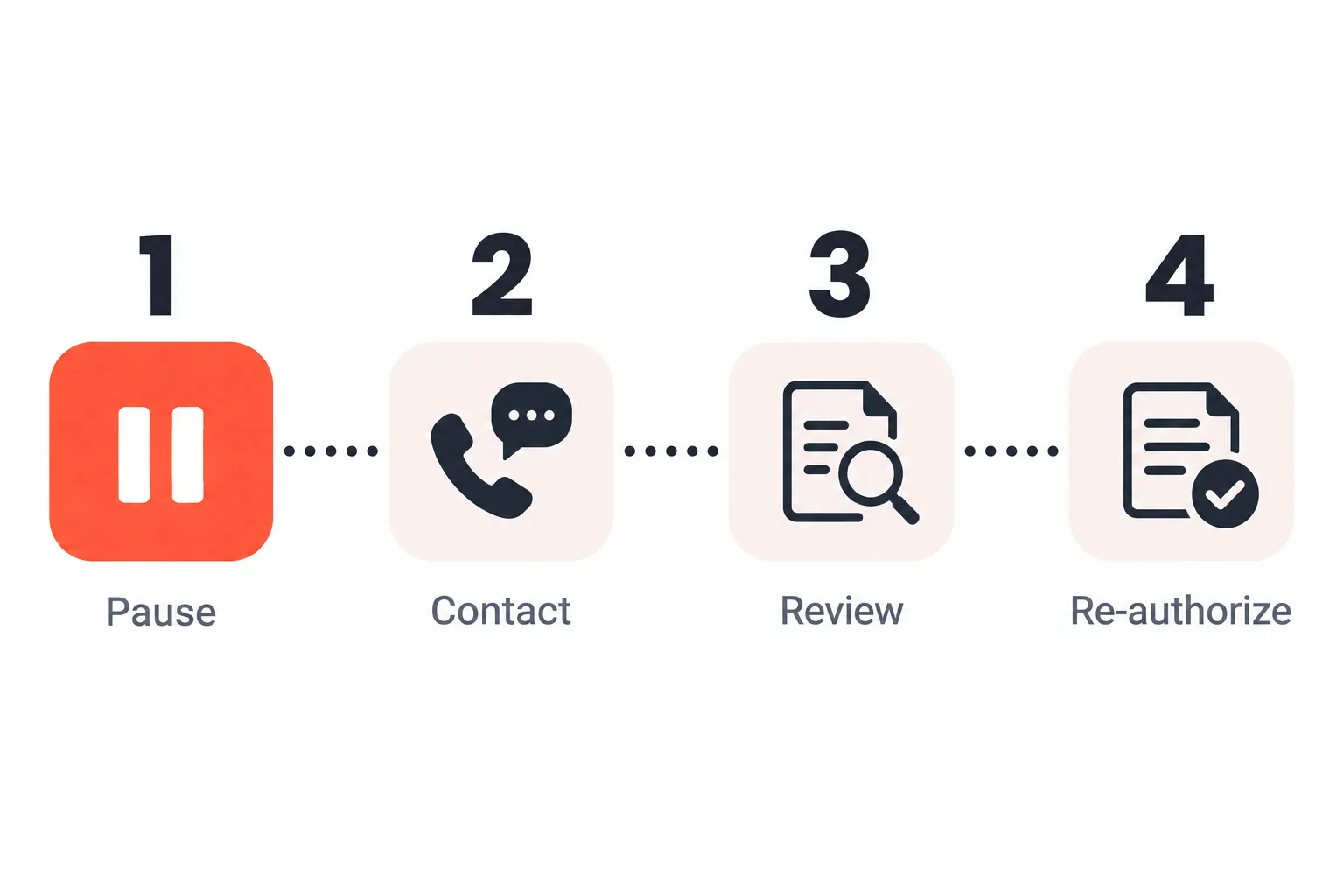
Start by pausing the affected recurring schedule. Then investigate the authorization and the customer’s bank controls before deciding how to collect the invoice.
1. Pause future debits for the affected account
Disable the next recurring attempt in your billing or gateway system. Do not let an automatic dunning rule retry every failed ACH payment, because an unauthorized return requires a different workflow from an insufficient-funds return.
2. Contact the business customer and identify the trigger
Ask the customer’s finance or accounts-payable team whether the issue involved missing authorization, a debit block, an unfamiliar descriptor, a changed amount or date, a cancelled service, or an invoice dispute. If a bank filter is involved, the customer may need to speak with its bank’s ACH department.
3. Review the authorization and payment record
Check the customer’s legal name, authorization or agreement, account and routing information stored in your approved system, company or originator ID, amount, date, frequency, and any required notice. Keep sensitive payment information secure, and do not ask the customer to send complete bank details through ordinary email or an unprotected attachment.
If the submitted debit did not match the approved terms, correct the process before requesting another payment. If the record is unclear, ask your processor or ODFI what documentation it requires.
4. Resolve authorization before creating a new payment
If the customer still wants to pay by ACH, obtain fresh authorization that covers the current terms and follow your processor’s instructions for creating a new entry. If a debit filter caused the return, the customer may need to approve your company or originator ID with its bank. An alternate payment method may be appropriate if the customer does not want to continue with ACH.
Can You Resubmit an ACH Payment After R29?
Do not submit the same ACH entry again after an R29 return. An unauthorized return is not handled like an R01 insufficient-funds return that may be eligible for limited re-presentment.
If the customer confirms that it wants to continue paying by ACH, obtain new authorization when required and ask your processor or ODFI how the new entry must be created. The exact workflow can depend on the account, SEC code, processor, and bank controls.
Also review your gateway’s retry settings. A rule that retries every failed payment should exclude unauthorized return codes, including R29. PPO’s online payment solutions include recurring-billing and gateway capabilities, but the available workflow depends on the merchant account and processing setup.
R29 Return Time Frame and Unauthorized-Return Risks
R29 is generally subject to a two-banking-day return timeframe from the settlement date. The time shown in your dashboard can differ from the underlying ACH deadline because processor cutoffs, file delivery, weekends, and bank holidays affect when an entry is submitted and when the return is displayed. Confirm the applicable deadline with your processor instead of relying on the date you first see in the dashboard.
A payment can appear to have moved through processing and still be returned after settlement. For that reason, do not treat a large B2B invoice as permanently collected on the day you submit the debit.
Unauthorized returns may be monitored as part of your overall ACH activity. Elevated activity can lead to additional questions, documentation requests, or corrective action from an ODFI or processor. Reserves, restrictions, or account closure are provider-specific possibilities, not an automatic result of one R29 return. Review Nacha’s ACH risk and enforcement guidance and confirm current requirements with your payment provider before relying on a specific threshold or remedy.
Preventing R29 Before It Happens
The most useful prevention step is to make the authorization, payment details, and bank-control requirements easy to verify before the first recurring debit.
Related readingReturned Mobile ACH Payment: Causes, Consequences & How to Handle ItRead the guide →| Control | Practical action |
|---|---|
| Authorization record | Keep the agreement or approved authorization with the customer name, account details, amount or calculation method, frequency, start date, and cancellation terms. |
| Change notice | Notify the customer before a variable amount, payment date, frequency, or billing descriptor changes. |
| Recognizable descriptor | Use a company or payment descriptor that the customer’s accounts-payable team can identify. |
| Bank controls | Ask new B2B customers whether their account uses an ACH debit block or filter and whether your company or originator ID must be approved. |
| Customer communication | Give customers a clear way to ask questions or cancel a recurring arrangement before contacting their bank. |
| Retry controls | Separate funding-related retry rules from unauthorized-return rules and monitor R29 activity by customer, payment method, and billing flow. |
If a processor requests evidence, organized authorization and transaction records can help it understand what happened. PPO’s risk and fraud management services describe customized tools, reporting, analytics, and payment-risk support; specific capabilities depend on the merchant’s account and provider arrangement.
For businesses managing recurring invoices or auto-pay, PPO’s bill-payment solutions also describe recurring ACH payments, automated reconciliation, customer portals, and payment plans.
R29 vs R10, R07, R11, R05, and R01
| Code | Meaning | How it differs from R29 |
|---|---|---|
| R29 | Corporate Customer Advises Not Authorized | A corporate or non-consumer customer advises its bank that the debit was not authorized. |
| R10 | Customer advises that the originator is not known or is not authorized | Generally used for consumer-account or consumer-SEC-code contexts rather than the corporate R29 context. |
| R07 | Authorization Revoked by Customer | The customer previously authorized the debit but later revoked that authorization. |
| R11 | Customer Advises Entry Not in Accordance with the Terms of the Authorization | An authorization exists, but the entry does not follow its terms, such as an amount or timing problem in the applicable consumer context. |
| R05 | Unauthorized Debit to a Consumer Account Using a Corporate SEC Code | A consumer account was debited using a corporate SEC code such as CCD or CTX. |
| R01 | Insufficient Funds | A funding problem, not an authorization claim. Its retry treatment is different and still subject to the applicable rules. |
The correct return code and any permitted follow-up action depend on the entry, account type, SEC code, and receiving-bank process. Nacha’s guidance on unauthorized return reasons explains how R10, R11, and R29 differ.
FAQs About R29
Frequently asked questions
What does ACH return code R29 mean?
Is R29 used for business accounts?
How long does an R29 return take?
Can you retry an ACH payment after an R29 return?
Can a debit block cause an R29 return?
Does R29 prove that a payment was fraudulent?
Is R29 the same as a chargeback?
Managing ACH Returns With a Clearer Payment Workflow
R29 requires prompt review of the authorization, customer communication, bank controls, and retry settings. The safest response is to pause future debits, document the issue, and confirm the correct workflow before requesting another payment.
If you need help reviewing ACH acceptance, recurring billing, or broader payment-risk workflows, contact Premier Payments Online. PPO provides merchant services through multiple acquirers and processing partners, while available solutions depend on the merchant account, processor, and underwriting requirements. This article is operational information, not legal or compliance advice.
Written by Irini Tomei, Principal CEO at Premier Payments Online.