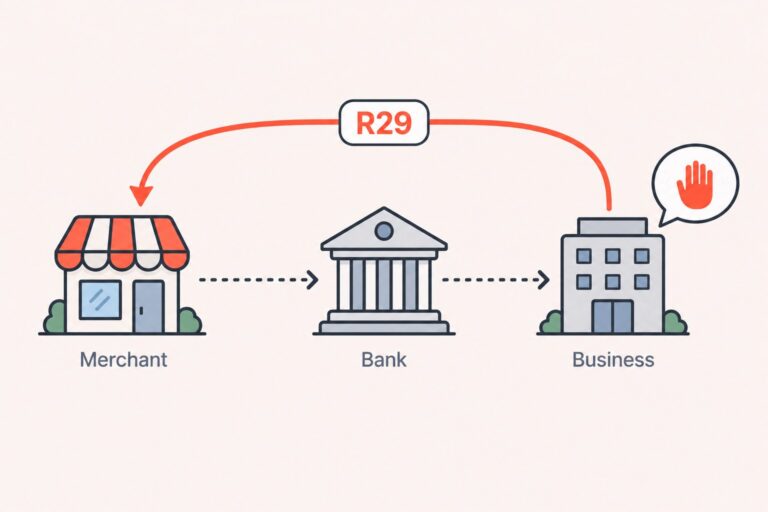
An R04 return means an ACH account-number field failed the receiving institution’s format or validation checks. It is usually a data problem, not an insufficient-funds or authorization return. The correct response is to identify where the data changed, verify the corrected details securely, and submit a new entry only after confirming the processor’s requirements.
This guide explains what R04 means, how it differs from R03 and routing-number errors, how to correct a returned entry, and how to reduce repeat errors in recurring billing.
R04 Return Code Quick Answer
R04 means the account-number field in an ACH entry is invalid or does not meet the receiving institution’s validation requirements. Correct the account information, preserve leading zeros and other required characters, verify the details securely, and submit a new entry according to your processor’s rules.
What the R04 Return Code Means in Plain English
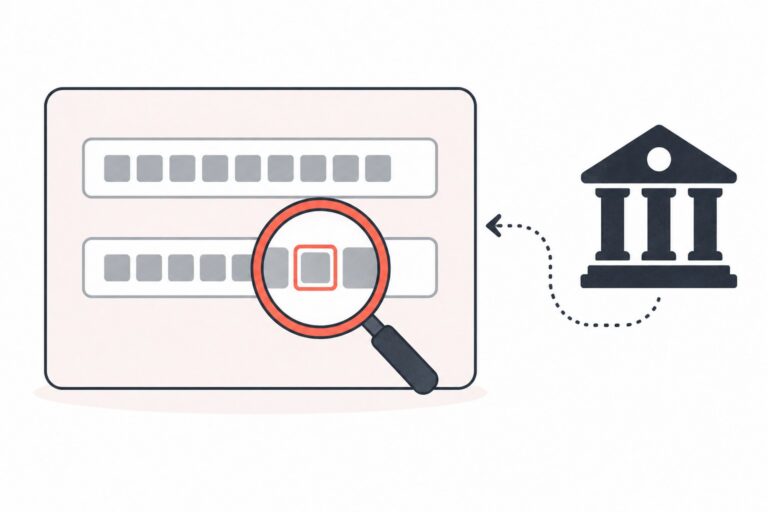
R04 is the ACH return reason used when the account-number field does not meet the receiving institution’s validation or format requirements.
It does not indicate insufficient funds, a closed account, or a disputed payment. The issue may involve an incorrect digit count, an invalid check digit, unsupported characters, or another account-number validation failure. Confirm the precise reason in your processor’s return report.
The R04 entry generally does not post to the customer’s account, but confirm the transaction status in your processor report before telling the customer that no funds moved.
The part that matters for you as a merchant:
Related readingReturned Mobile ACH Payment: Causes, Consequences & How to Handle ItRead the guide →R04 is a data problem, not a funding problem.
The invalid information may have been entered incorrectly, transformed during an import or export, or submitted after a field-mapping or integration error.
ACH is the electronic network used for direct payments and other bank-to-bank transactions. Nacha’s ACH overview provides general background on how the network is used.
For merchants evaluating ACH capabilities, PPO’s ACH processing solutions describe ACH debit and credit capabilities, Same Day ACH, batch and API integration, recurring billing, reporting, and identity/fraud-verification tools.
How R04 Fits Into the ACH Return Code Family
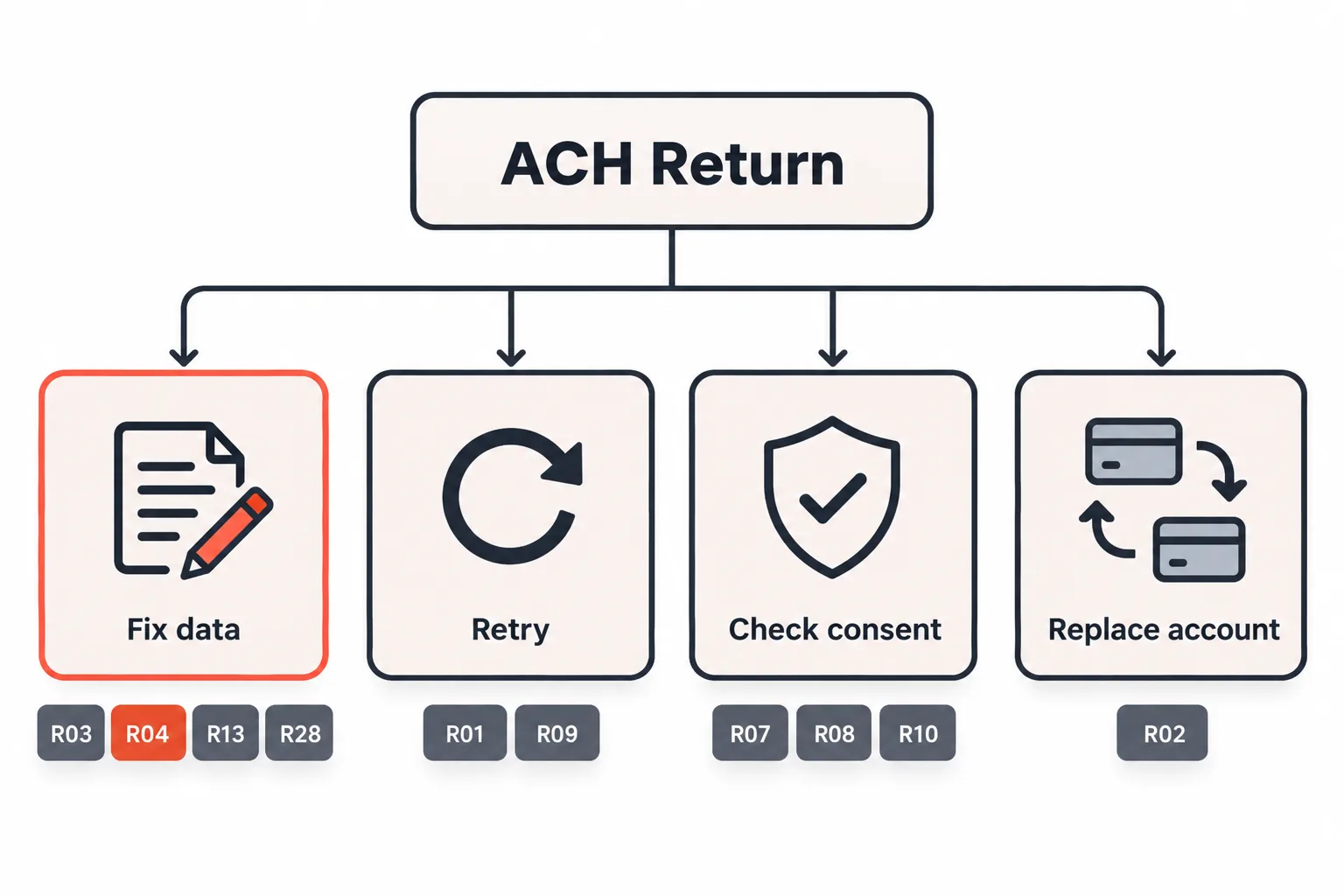
When an ACH payment fails, the bank sends it back with a standardized reason code. Those codes come from Nacha, the organization that maintains the ACH Network rules. A useful way to sort them is by what you have to do next:
| Code | What the bank is telling you | Your next move |
|---|---|---|
| R01 | Insufficient funds | Follow the permitted retry process for an eligible funding return. |
| R02 | Account closed | Stop billing and request new account details or another payment method. |
| R03 | No account / unable to locate account | Confirm the account and routing details, then submit a new entry after correction. |
| R04 | Invalid account number structure | Correct and securely verify the account number before submitting a new entry. |
| R07 | Authorization revoked by the customer | Stop the schedule and review authorization before any new debit. |
| R08 | Payment stopped | Resolve the stop-payment issue before attempting another debit. |
| R09 | Uncollected funds | Follow your processor’s current reinitiation rules. |
| R10 | Customer advises the debit was not authorized | Stop and review authorization records; do not treat it as a data retry. |
| R13 | Invalid ACH routing number | Verify the routing number and receiving institution before submitting again. |
| R28 | Routing-number/check-digit error | Correct the routing number or check digit before creating a new entry. |
Use four practical response groups: correct data for R03, R04, R13, and R28; retry only eligible funding returns such as R01 and R09; resolve authorization or stop-payment issues for R07, R08, and R10; and replace closed-account details for R02.
R04 vs. the R03 Return Code: What Is the Difference?
R03 means the receiving institution could not locate an account matching the account number in the entry. R04 means the account-number structure or validation failed.
That difference tells you where to look. R03 may require confirmation that the account is open and that the submitted details are correct. R04 requires a review of digit count, check-digit validation, formatting, leading zeros, and the path the data took through your system.
An isolated R04 may reflect an individual data-entry issue. A cluster should prompt a review of imports, field mapping, validation, and bank-specific formatting before you assign blame to customers or label the problem a software bug.
R04 vs. R13 and R28: Account Number or Routing Number?
R04 concerns the account-number field. R13 concerns an invalid ACH routing number, while R28 concerns a routing-number or check-digit error. Review both fields in the raw submitted record before asking the customer to update information.
Why R04 Returns Happen (Even When the Number Looks Right)
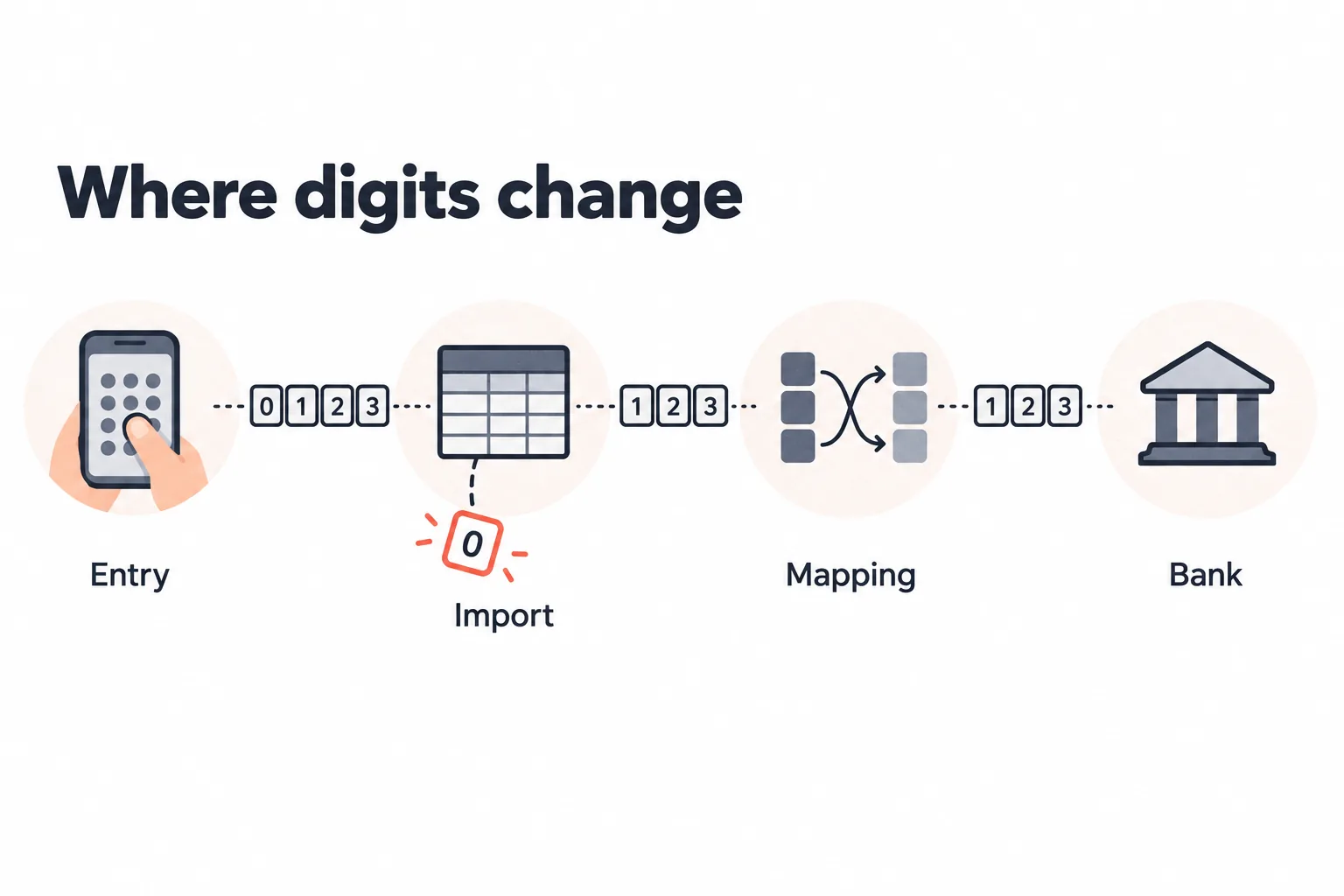
Most R04s trace back to one of these:
- Transposed or dropped digits. A double keystroke adds one; a fast typist drops one.
- The wrong number off the check. Customers grab the check number, or the routing number, instead of the account number.
- Numbers never meant for ACH. Deposit slips and some banking apps display a number that is not the one used for direct debits.
- Leading zeros stripped by a spreadsheet. A value such as 00123456 can become 123456 when a system treats the account number as a numeric value.
- Field mapping mistakes. Routing and account swapped in an integration, or a test value pushed live after a gateway change.
- Invisible characters. Spaces, dashes, and hidden formatting pasted in from a PDF or a banking portal.
- Changed bank or account details. A customer may have moved banks or received updated account information, so confirm the current details rather than assuming the old number remains valid.
A number can look correct in a dashboard and still be different from the value sent in the ACH file. Compare the raw submitted record with the stored customer record before requesting new information.
How Long Does an R04 Return Take?
R04 is a standard ACH return and is generally reported within two banking days of the settlement date. Processor schedules, file cutoffs, weekends, and bank holidays can affect the calendar date, so confirm the timing that applies to your account.
Settlement timing and return timing are different. Same Day ACH may settle eligible entries on the same business day, but that does not mean every possible return will be identified immediately.
For a subscription business, that gap matters. The payment may appear accepted before the return is reported. If you ship the product, unlock access, or approve a refill before the relevant return window, you may be chasing money after delivery.
How to Fix an R04 Return, Step by Step
1. Pull the raw submitted record. Look at the account number exactly as it went out in the file, not as your admin panel displays it. 2. Check the structural tells first. Review digit count, leading zeros, stray characters, routing/account field placement, and any transformation during import or export. Treat these checks as an initial diagnostic, not a guarantee that the exact cause has been found. 3. If the submitted data appears clean, use a secure account-update or verification workflow. Do not ask customers to email complete bank details or send unprotected screenshots. A voided check may be appropriate only where your processor and privacy procedures allow it. 4. Correct the information at the source. Update the stored customer record, not only the single payment attempt, so the next billing cycle does not reuse the same invalid value. 5. Verify the corrected details and submit a new entry. Confirm the processor’s data and authorization requirements before sending the payment again. 6. Log the cause. Track whether each return came from customer entry, an import/export process, a field-mapping issue, or another source so the corrective action matches the problem.
Can You Retry an ACH Payment After an R04?
Do not re-submit the same invalid account information. Corrected account details should be verified before a new entry is created.
R04 is different from R01 and R09, which may be eligible for limited reinitiation under ACH rules. R04 requires a data correction first. Because ACH requirements and processor implementations can change, review Nacha’s current rule updates and confirm the current process with your processor.
Pause the customer’s recurring schedule until the corrected details are verified, so the next billing run does not send the same invalid record again.
Can Repeated R04 Returns Affect ACH Monitoring?
One R04 does not, by itself, prove that a merchant’s program is unsafe. A repeated pattern can indicate a problem in enrollment, data storage, file creation, or integration quality and may lead to additional review by a processor or ODFI.
Nacha describes a 3.0% administrative Return Rate Level for R02, R03, and R04 debit returns. Exceeding that level does not automatically mean a rules violation, but it may begin a preliminary review of the originator’s ACH activity. The referenced Nacha page is an archived rule change, so confirm current requirements with your processor or ODFI.
Exact monitoring practices and consequences are provider-specific. A processor may ask for an explanation, corrective-action plan, or additional reporting, but this article should not promise a particular reserve, funding, or account outcome. For related payment-risk support, see PPO’s risk and fraud management services.
Review R04 returns by billing batch, integration, account-entry source, and customer segment. A concentration in one process is more actionable than an overall percentage without context.
How to Stop R04 Returns Before They Happen
- Validate both routing and account fields at the point of entry. Routing-number validation alone does not prevent an invalid account-number return.
- Verify the account before the first live debit. Use account-validation, prenote, or other secure verification options where your processor supports them; cost and availability depend on the setup.
- Store account numbers as text, not numeric values. This helps preserve leading zeros through imports and exports.
- Clean the input on the front end. Strip spaces and dashes where appropriate, block unsupported characters, and flag unusual lengths before submission.
- Show masked confirmation details where available. Displaying the bank name or last four digits can help customers catch an entry mistake without exposing the full account number.
- Test the field mapping after every integration change. Use an approved test or controlled transaction through the actual processing path.
- Validate the whole file before a bulk upload, not after the returns come back.
Where Payment Routing and Card Backup Fit In
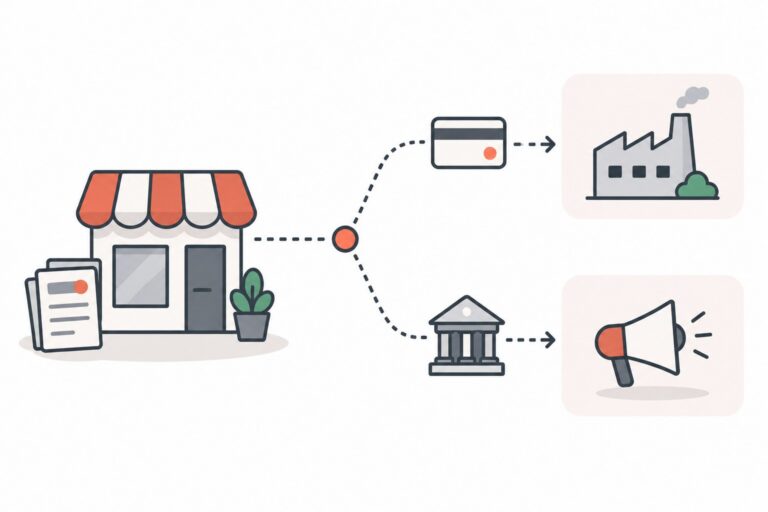
For a subscription business, relying on one payment method can create a single point of failure. Payment routing can help merchants apply defined rules for choosing a payment account or method, but it does not correct invalid ACH data.
PPO’s online payment and smart-routing solutions describe smart transaction routing, recurring billing, tokenization, and multiple merchant-account capabilities.
A card backup may be useful when the customer has provided appropriate authorization and the payment details are stored securely. Do not move every R04 payment to a card automatically; compare customer consent, approval data, fees, and support outcomes.
Multiple processing paths may add operational flexibility, but they do not guarantee failover, approval, or uninterrupted funding. Those outcomes depend on the acquirer, processor configuration, underwriting, and account status.
Dunning Rules for Recurring-Billing Merchants
If you bill monthly for subscriptions, memberships, software, e-commerce products, or other recurring services, build dunning around the return reason instead of treating every failure as a balance problem.
- R01 requires its own permitted retry process. It indicates insufficient available funds, but the account details still need to be handled according to the applicable rules.
- R04 requires corrected account information. Do not retry until the invalid data has been corrected and verified.
- Do not tell a customer to check their balance when the actual cause was your field mapping or data-formatting error. Explain the return accurately and give the customer a secure update path.
- Surface the return reason in your support tools so agents can give the correct answer instead of guessing.
PPO’s Billpay tools describe future-dated, installment, recurring, ACH, and card payment workflows with automated reconciliation and customer self-service features.
Review return data regularly. It can reveal enrollment and integration problems before a processor asks for an explanation.
R04 Return Code FAQs
Frequently asked questions
What does the R04 return code mean?
Can you retry an ACH payment after R04?
What is the difference between R03 and R04?
How long does an R04 return take to appear?
Does an R04 return cause a merchant fee?
Why did R04 happen when the account number looked correct?
How can merchants prevent repeated R04 returns?
Need Help With ACH and Card Payment Processing?
A single R04 may be a correctable data issue. A repeated pattern deserves a review of enrollment, data handling, recurring billing, and payment-routing processes.
PPO provides ACH, recurring-billing, online-payment, payment-consultancy, and risk-management options through its network of processing partners. Availability depends on the acquirer, processing history, underwriting, and the specifics of the program. Contact PPO to discuss your ACH setup, recurring billing flow, or return pattern.