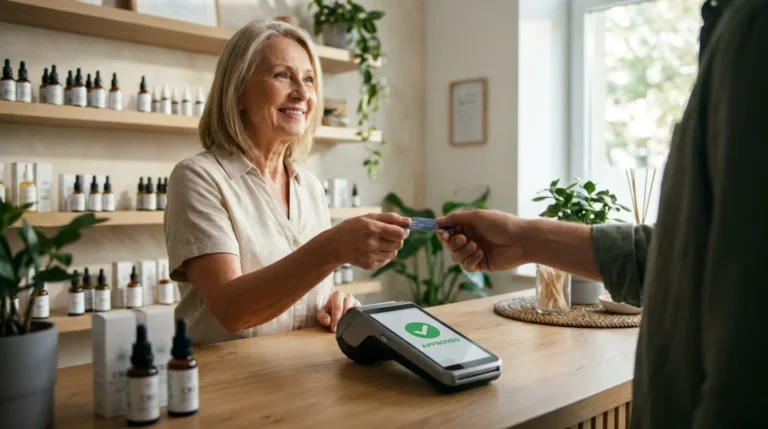
When you tap your phone at a checkout counter or approve a purchase inside an app, a full financial transaction moves across banks, networks, and security systems in seconds. Mobile payments are no longer a novelty feature. They have become core infrastructure for commerce.
According to industry reports, digital wallets already account for a growing share of global consumer transactions and are projected to process over $25 trillion in payment value by 2027, overtaking cash and traditional card usage in several regions.
In this guide, we explain how does mobile payment work at both a practical and technical level. You’ll see what happens after a tap, click, or scan, how phone payments move through financial networks, how NFC and mobile wallets differ from in-app and account-based payments, and why security mechanisms such as tokenization and biometric authentication are not optional anymore.
By the end, readers will understand how mobile payment systems function, how businesses accept mobile payments, and what makes mobile payments fast, reliable, and secure.
What is a mobile payment?
At its core, a mobile payment exists to remove friction from paying. A mobile payment is any transaction initiated on a mobile device, such as a smartphone or wearable, that transfers value to a merchant or another person.
In practical terms, mobile payment means paying without reaching for cash or a physical card. That payment may occur at a terminal using NFC, inside an app checkout, through a QR code, or via a mobile money account linked to a bank balance. While the user experience looks simple, the systems underneath vary widely.
The 4 main models used
The mobile payment covers four dominant models worldwide. The easiest way to keep them straight is by asking one question: “What is the payment rail under the hood?”
| Model | What the user does | What moves the money | Where it dominates | Typical examples |
| Proximity wallet (NFC/contactless) | Taps phone near a payment terminal | Card rails with tokenization (Visa/Mastercard/Amex, etc.) | Retail-heavy markets | Apple Pay, Google Pay, Samsung Pay |
| QR-based wallet or app pay | Scans or presents a QR code | Often, wallet rails or bank rails depend on the country | Mixed; huge in parts of Asia and beyond | QR checkout inside wallet apps |
| In-app or mobile web checkout | Pays inside an app or browser | Card rails, bank transfer rails, wallet rails | Global e-commerce | “Pay with mobile” inside apps |
| Mobile money / account-based pay | Sends money from a mobile account | Account-based system, often with agent networks | Many emerging markets | Mobile money transfers and merchant pay |
Different models can feel identical to users while settling in completely different ways behind the scenes.
How does mobile payment work?
Once you understand what a mobile payment is, the next question becomes practical: how does mobile payment work from the moment a user taps or clicks to the moment the payment is approved?
Mobile payment works by turning a smartphone into a secure payment tool. Instead of handing over cash or a physical card, the user authorizes a transaction directly from their mobile device. That device then communicates with payment networks using encrypted data and established banking infrastructure to complete the transaction.
The process usually begins with user verification. Before any payment is sent, the phone confirms that the authorized owner is initiating the transaction. This confirmation often happens through biometric security, such as a fingerprint or facial recognition, or through a device passcode. This step replaces the need for signatures or PIN entry and significantly reduces unauthorized phone payments.
After verification, the mobile device prepares the payment credentials. In most modern mobile payment systems, especially NFC mobile payments and mobile wallet payments, the phone does not transmit the actual card number or bank details. Instead, it uses a secure token that represents the payment information. This token is valid only for that transaction or device, which helps protect sensitive data if it is intercepted.
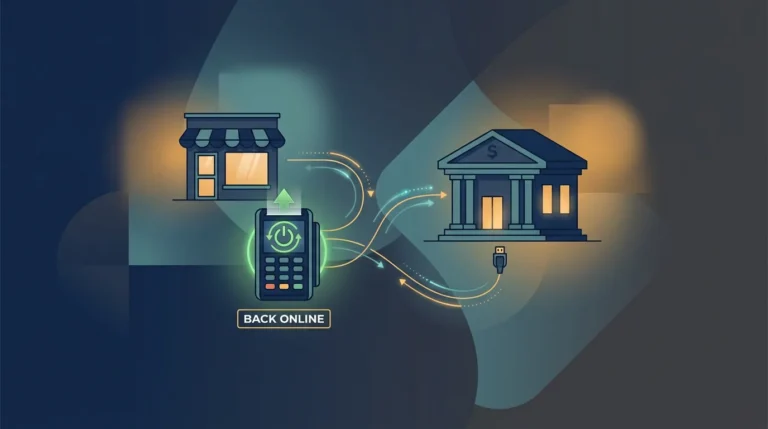
The payment data is then sent to the merchant. In a physical store, this happens through near-field communication when the phone is held close to a payment terminal. In mobile app payments or mobile web payments, the information is transmitted through the app or browser checkout. From the merchant, the transaction travels to the payment processor or acquiring bank and then through the relevant card network or banking system.
At the final stage, the issuing bank reviews the transaction. The bank checks available funds, transaction history, device signals, and fraud indicators before deciding whether to approve or decline the payment. Once a decision is made, the response travels back through the network to the merchant, usually within seconds. If approved, the transaction is completed, and the customer receives confirmation on their mobile device.
Although the experience feels instant to the user, multiple systems work together behind the scenes. NFC mobile payments, mobile app payments, mobile money transfers, and phone-based bank payments all follow this general structure, even though the underlying payment rails may differ. What stays consistent is the goal: enable fast, secure, and convenient payment using a mobile phone without exposing sensitive financial information.
This combination of device authentication, encrypted communication, and established financial networks is what allows mobile payment technology to function reliably across countries, industries, and payment environments.
What happens behind the scenes: phone, payment terminal, bank, and card networks
Here is the transaction flow, simplified but accurate.
| Step | What happens | Who is involved | Why it matters |
| 1 | You authenticate (biometric/passcode) | You + device OS + wallet app | Proves the user is legitimate, reduces casual fraud |
| 2 | Wallet presents a tokenized credential | Wallet + token service provider + secure element | Token reduces the exposure of the real card number |
| 3 | Terminal reads data via NFC | Payment terminal + merchant POS | The terminal must support contactless EMV |
| 4 | Merchant routes payment to the processor | Merchant + payment processor/acquirer | Routes authorization request to networks |
| 5 | Network passes to the issuer | Card network + issuing bank | Issuer checks funds, risk, and device/wallet signals |
| 6 | Approval/decline returns | Issuer → network → acquirer → merchant | Merchant receives an authorization decision |
| 7 | Settlement occurs later | Acquirer + issuer + networks | Money moves after batching/settlement windows |

How Mobile Wallets Work on Your Phone
Mobile wallets act as secure intermediaries between smartphones and existing payment networks. Apple Pay, Google Pay, and Samsung Pay do not transmit raw card numbers during transactions. Instead, they rely on device-specific credentials stored in protected environments tied to the phone’s hardware and operating system.
When a payment is authorized, the wallet releases a transaction-specific credential rather than permanent account details. This design allows smartphone payments to operate on card networks while limiting exposure of sensitive data. Stored credentials inside a mobile wallet behave differently from physical cards because access requires both device possession and user authentication.
This combination explains why mobile wallet payments typically show lower fraud rates than traditional card-present transactions.
What Is NFC Mobile Payment and How It Works
An NFC mobile payment is a proximity transaction that uses Near Field Communication to exchange encrypted data over a very short distance. After biometric or passcode verification, the phone and payment terminal establish a secure session.
The wallet transmits tokenized payment data along with a one-time cryptographic value created specifically for that transaction. This information passes through the merchant’s processor, the card network, and the issuing bank for authorization.
The key point is that NFC mobile payments do not broadcast card numbers. Tokenization replaces the primary account number with a constrained value designed to limit the usefulness of intercepted data.
NFC Mobile Payments vs QR vs In-App Payments
| Method | How payment starts | Primary technology | Typical usage |
| NFC mobile payments | Phone tapped at terminal | Short-range radio | In-store checkout |
| QR payments | Code scanned or displayed | Camera and app logic | Wallet-based retail |
| In-app payments | Checkout inside app | Internet APIs | Mobile commerce |
Each method answers how to pay with your phone differently, even when the experience feels similar.
Types of Mobile Payment Methods You Can Use Today
Mobile payment methods differ based on how value moves through the system and which financial rails sit underneath the user experience.
| Mobile payment method | How the payment is initiated | Primary payment rail | Common usage scenario |
| Mobile wallet payments | User taps or confirms in a wallet app | Card networks with tokenization | In-store contactless checkout |
| Mobile app payments | Payment confirmed inside an app | Card, wallet, or bank rails | Subscriptions and in-app purchases |
| Mobile web payments | Checkout through mobile browser | Card or bank transfer rails | Mobile e-commerce |
| Account-based mobile payments | Funds sent from a mobile account | Bank or wallet balance systems | Peer-to-peer and bill payments |
| QR-based mobile payments | Code scanned or displayed | Wallet or local bank rails | Retail and transit payments |
Each method answers how does mobile payment work differently, even though all rely on a mobile device as the entry point for authorization.

Secure mobile payments: tokenization, encryption, biometrics, and fraud controls
Security explanations often stop at “the data is encrypted,” which oversimplifies how mobile payments actually stay secure.
Tokenization plays a central role. Industry standards define payment tokenization as the replacement of a primary account number with a unique alternative value that can be restricted by device, merchant, or transaction type. Stolen token data has limited value outside its permitted context.
Biometrics reduce the most common fraud path in consumer payments: unauthorized use of a lost or stolen device. Modern wallets also rely on secure hardware environments to isolate sensitive credentials from the rest of the operating system.
Fraud still exists, but it shifts. Wallet fraud often targets provisioning (the step where a card is added to a wallet) and account takeover rather than the tap itself. That’s why risk rules, device checks, and dispute workflows matter for merchants.
If you want a merchant-facing angle that supports the client site, you can reference Premier Payments Online’s material on mobile payment tokenization. This help you to understand how tokens protect card data in mobile flows.
Mobile payments for small businesses: how mobile payment acceptance works
For a small business, “how does mobile payment work?” quickly turns into a more urgent question: how do I accept payments without creating a mess? The tech is flashy, sure, but merchants live and die by whether payments settle cleanly, refunds are painless, and chargebacks don’t turn into week-long headaches.
At a basic level, mobile payment for small business usually comes down to three things: a merchant account (or payment facilitator setup), a processor or gateway that can handle online transactions, and either dedicated hardware or a phone-based option for in-person payments. Simple on paper. Less simple once you’re juggling multiple sales channels.
That’s where providers like Premier Payments Online tend to stand out. Instead of selling mobile payments as a shiny gadget, they frame it as an operational decision, one that prioritizes reliability, clean refund workflows, and chargeback resilience. Those details matter a lot more than buzzwords when you’re running a real business.
Things get even more interesting for merchants selling both online and in-store. Customers expect their payment experience to feel seamless no matter where they check out, and that only happens when everything runs through a unified system.
Using a single gateway with shared reporting, tokenization, and customer profiles means repeat buyers aren’t re-entering information, staff aren’t reconciling mismatched data, and payments feel consistent across devices. Premier Payments Online’s omnichannel payment solutions are built around that idea, reducing friction behind the scenes so transactions feel effortless on the surface.
In short, mobile payments work best when they’re boring in all the right ways. No surprises, no gaps between channels, and no extra cleanup after the sale. That’s the kind of “cool tech” merchants actually care about.
Mobile Payment Systems for Consumers vs Businesses
| Aspect | Consumer experience | Business requirement |
| Device | Smartphone or wearable | Terminal or gateway |
| Security | Biometric authentication | Token handling and compliance |
| Speed | Instant confirmation | Reliable authorization |
| Risk exposure | Minimal for user | Managed through fraud controls |
Understanding both perspectives clarifies why mobile payment systems for small businesses differ from consumer-facing apps.
Benefits and Real-World Advantages of Mobile Payments
Mobile payments deliver value not through novelty, but by improving how transactions actually move through checkout, security, and settlement in everyday use.
| Benefit | What it means in practice | Real-world impact |
| Faster checkout | Authentication happens on the device before data transfer | Shorter lines and higher transaction throughput |
| Improved security | Tokenization and device authentication protect payment data | Lower exposure to card theft and misuse |
| Reduced physical dependence | No need to carry cash or multiple cards | Fewer lost-card incidents and wallet reliance |
| Greater convenience | Payments work across stores, apps, and browsers | Consistent experience across channels |
| Lower friction for repeat purchases | Stored credentials reduce re-entry of payment data | Higher completion rates and fewer abandoned checkouts |
| Channel flexibility | Same payment method works online and in person | Simplified payment strategy for businesses |
| Better customer perception | Contactless payments feel modern and reliable | Increased trust and satisfaction |
Taken together, these advantages explain why mobile payments continue to replace traditional payment methods across both retail and digital commerce.

Where to Go Next With Mobile Payments
Understanding how does mobile payment work only matters if it leads to decisions that hold up under real transaction volume. For consumers, that means using a secure mobile wallet, protecting the device itself, and relying on biometric authentication. For businesses, it means choosing a payment setup that reflects how customers actually pay today, not how payments worked in the past.
Companies that operate across online and in-store channels benefit most from a unified payment stack, where NFC acceptance, mobile wallet checkout, and reporting connect through a single system. Providers such as Premier Payments Online emphasize that mobile payment success depends on treating risk and fraud management as part of the core infrastructure, not as an afterthought once chargebacks appear.