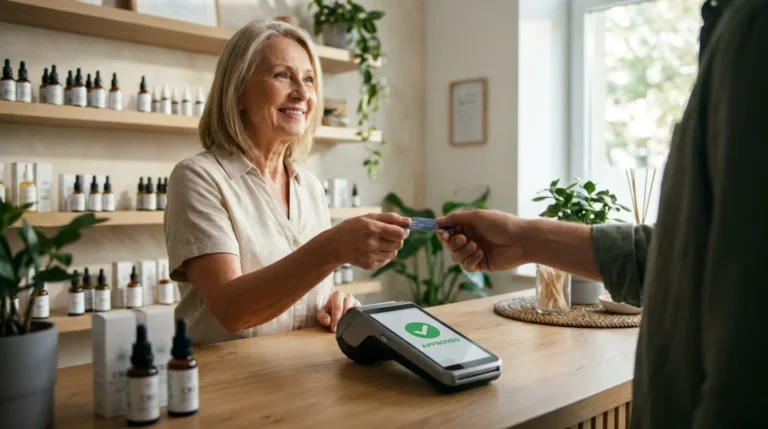
Small businesses in the U.S. now face a simple reality: customers expect speed, choice, and privacy at checkout. That pressure explains why mobile payment options for small business sit at the center of modern retail, field service, and even B2B invoicing. The most useful approach is not “pick the trendiest app,” but match the right mobile payment options for small business to how you sell: in person, online, by invoice, by phone, or across all of them.
The market signals back this shift. The Federal Reserve/Atlanta Fed’s Survey and Diary of Consumer Payment Choice reported that 72% of U.S. consumers adopted online or mobile payment accounts such as PayPal, Zelle, Venmo, and Cash App in 2023, and the share of remote purchasing rose to 22% by number. That’s the demand side. On the technology side, tap-to-pay keeps moving faster: according to a report Tap to Phone growth of 200% year over year, with strong adoption in the U.S.
This guide covers mobile payment options for small business with a U.S.-specific lens: what they are, how they work, what they cost, what security features matter, and how to choose a setup that does not collapse the first time you run into a chargeback, a dead zone, or a messy refund.
Mobile payment options for small business: what the term means
When people search for mobile payment options for a small business, they rarely mean one thing. In practice, the phrase covers four overlapping needs.
First, it can mean mobile payment apps that let you accept card and wallet payments from a phone or tablet, often paired with a mobile card reader. Second, it can mean a mobile payment terminal or handheld device, a portable point of sale (a point of sale POS system) built for lines, tips, and receipts. Third, it can mean “tap to pay” acceptance, where the phone itself becomes the terminal, a branch of mobile payment processing that grows fast because it reduces hardware friction. Fourth, it can mean mobile-first ways to make remote payments, including pay-by-link, invoices, and “phone payments” where the customer reads a card number.
That last category matters more than many listicles admit. Federal Reserve Bank payment diaries show that remote purchases have grown as consumers use cards and mobile devices more frequently for online transactions. Industry research also indicates that card-not-present (remote) payments are generally more exposed to fraud risk than in-person transactions.
For a U.S. owner, the right mobile payment options for a small business usually include at least one card-present method and one remote method, even if the business “mostly sells in person.”
The main types of mobile payment options for small business, and when each wins
The strongest mobile payment options for a small business win because they fit a workflow, not because they look slick in a demo.
Tap to pay on phone and contactless payment for small business
Tap-to-pay acceptance turns an NFC-capable phone into a payment acceptance device. It lowers setup barriers for new sellers and seasonal teams, and it helps service businesses that cannot babysit hardware. Recent payment network data on Tap to Phone adoption highlights how quickly this contactless acceptance method is spreading as merchants look for faster, lower-friction ways to take in-person payments without dedicated hardware.
Contactless wallets also keep improving. The NFC Forum’s Release 15 expands the certified operating range from about 0.5 cm to up to 2 cm, which reduces “tap failed” moments that slow lines and frustrate staff. In plain terms, better NFC reliability raises checkout speed, which is why contactless sits inside so many mobile payment options for small businesses today.
Mobile card reader plus credit card processing app (classic mPOS)
This is the familiar setup: a credit card payment app on a phone or tablet plus a small reader that handles chip and tap. For pop-ups, contractors, farmers’ markets, and appointment-based services, it remains one of the most cost-effective mobile payment options because the hardware cost stays low and the staff training burden stays light.
It also reduces risk compared with keyed entry. EMV chip technology remains the dominant standard for card-present transactions worldwide, with industry data showing that roughly 95% of global in-person card payments now rely on EMV chip authentication. While that statistic is global, the principle holds in the U.S.: chip acceptance helps reduce counterfeit card fraud liability exposure versus swipe-only setups.
Handheld mobile payment terminal and full mobile POS systems
A handheld terminal or full POS suits high-volume retail, food service, and multi-staff environments. These mobile payment solutions tend to bundle inventory, staff permissions, tipping, receipts, and reporting in one interface. For stores with multiple registers, this form of mobile payment options for small businesses saves time because it keeps payments and operations under one roof.
The tradeoff is ongoing software cost. Many owners underestimate what recurring software fees do to margins over 12 months. When you compare mobile payment solutions for small business, compare total cost across fees, software, hardware protection plans, and add-ons such as advanced reporting or loyalty.

QR codes, pay-by-link, and phone payments
Some industries live on remote acceptance: home services, medical practices, B2B deliveries, and membership-based operations. For them, mobile payment options for a small business often include QR payments, pay-by-link, and invoice payments. Pay-by-link solves a real problem: it avoids card numbers spoken aloud, and it creates a trail that helps dispute defense.
“Phone payments,” meaning a customer reads card details, still exist, yet they carry more fraud risk and more disputes. If a business must accept card payments by phone, it should treat it as a controlled lane with strict verification, short refund windows, and strong chargeback workflows.
Invoices and online payment systems that still feel “mobile.”
Invoices are not just “online payments.” They are operations. They connect to accounting, reminders, partial payments, and reconciliation. Many owners ask for mobile payment options for small businesses, and actually mean “I want a payment system for small businesses that chases invoices without chasing me.” That is where payment links inside invoices, automated reminders, and accounting integrations matter more than a sleek reader.
Invoice-style mobile payments are increasingly built into broader payment workflows for small businesses, including options that support bill pay and digital invoicing. One practical example of how electronic invoice acceptance can work within a mobile-friendly payment system shows how invoices can be sent, viewed, and paid seamlessly without adding friction for customers or staff.
Best mobile payment options for small business by scenario (USA)
| Business scenario | Best-fit mobile payment options for a small business | Why it fits in the U.S. market | Primary risk to manage |
| Pop-up retail, markets, seasonal teams | Phone + reader, or tap-to-pay on phone | Low setup cost, fast staff training | Connectivity failures, refund confusion |
| Food truck, quick-service, events | Handheld terminal or mobile POS | Speed, tips, receipts, line control | Device battery, peak-hour downtime |
| Home services, repair, field work | Tap-to-pay + pay-by-link fallback | One device, quick close-out on site | Card-not-present disputes on links |
| Salon, studio, appointments | Mobile POS + saved cards with tokenization | Scheduling + tips + repeat billing | Customer claims, “I didn’t authorize.” |
| B2B deliveries, invoices, net terms | Invoice links + ACH option | Faster collection, accounting match | Slow pay, chargeback defense gaps |
| Memberships, subscriptions | Recurring card-on-file + account updater | Predictable revenue, lower admin | Card declines, churn, compliance |
| High-risk ecommerce | Specialized underwriting + strong risk tools | Higher approval chance, fraud controls | Reserves, monitoring programs |
Costs that matter in mobile payment processing, not the marketing ones
A buyer looking up mobile payment options for small business usually wants two things at once: convenience and predictable cost. The cost story splits into transaction fees and operating fees.
Transaction fees depend on whether the payment is card-present or card-not-present. Card-present transactions usually cost less because the risk profile improves. Card-not-present, including most invoice links and online payments, tends to cost more due to fraud risk and dispute exposure.
Operating fees include monthly software, device costs, warranty plans, PCI-related programs, chargeback tools, and add-ons such as inventory management or multi-location reporting. Many “best payment app for small business” roundups do not make you add those up. You should.
Now, a word about the search phrase that triggers confusion: “free credit card processing for small business.” In most cases, “free” means a form of surcharge or cash-discount program where the customer pays more when paying by card. That can be legal in many U.S. states when disclosed correctly, but it changes customer perception, it can trigger complaints, and it can create pricing inconsistencies across channels. If you pursue it, treat it as a pricing strategy, not a magical free credit card processing for small business loophole.
Understanding where payment costs actually come from makes it easier to evaluate different checkout options. This explanation of Credit Card Processing Fees Small Business breaks down the main fee drivers in plain language, helping owners make clearer comparisons when weighing mobile payment options for their business.
Mobile payment processing cost checklist
| Cost item | When it appears | What to ask before you sign | Common red flag |
| Transaction rate and pricing model | Every sale | Is it flat rate or interchange-plus, and what triggers surcharges? | Pricing that changes without clear triggers |
| Monthly software fee | Monthly | What features are included, and what costs extra? | “Starter” plan that omits essentials |
| Hardware cost or lease | Up front or monthly | Do I own the device, and what is the replacement cost? | Long hardware lease for low-cost equipment |
| Chargeback fees and tooling | When disputes hit | What is the per-dispute fee, and do I get alerts and evidence tools? | No dispute support unless you pay more |
| PCI programs and compliance support | Annual or monthly | Who handles compliance steps, and what support exists? | Vague “compliance fee” with no guidance |
| Refund and payout policies | Operational | How fast do payouts settle, and what holds can occur? | Unclear reserves or funding holds |

Security features small business owners should demand from mobile payment services
Security is not a slogan. In mobile payment options for a small business, security shows up as fewer fraud losses, fewer disputes, and fewer compliance headaches.
Tokenization: Start with tokenization. Payment industry standards describe tokenization as a process that replaces sensitive card data with a substitute token, limiting the usefulness of stolen information because the token is typically restricted to a specific merchant, device, or transaction scenario. If your mobile payment system supports tokenization for stored cards, recurring billing, or mobile wallets, you reduce exposure when a device gets lost or a system gets compromised.
PCI DSS: Next comes PCI DSS. PCI DSS is a set of requirements created to protect cardholder data, and the PCI Security Standards Council maintains the standard. For a small business, the goal is practical: choose mobile payment options for small business that keep you from storing card data yourself and that narrow your PCI scope.
Dispute readiness: Owners often miss a third piece: dispute readiness. Fraud controls matter, but chargeback defense wins margins. Tools like strong receipts, customer communication logs, clear refund policies, and device and IP signals for remote payments all help. A processor that offers risk tooling, monitoring, and practical chargeback workflows can save more money than it costs.
Premier Payments Online organizes its security and risk approach under risk and fraud management services, which can help if your business needs mobile payment options for small business that include real fraud controls rather than a basic reader and hope.
How to choose the best mobile payment options for small business?
If you sell in person most days, optimize for speed, battery life, receipt delivery, tip prompts, and staff permissions. A good mobile POS or reader-based setup can handle Apple Pay and Google Pay, chip, and tap with minimal staff drama. Reliability matters more than novelty.
If you take payments online as well, choose a unified mobile payment solution that keeps customer records, refunds, and reporting consistent. A split stack, one system for in-store and another for online, often leads to mismatched refunds and reporting confusion.
If you run a service business that invoices, you want invoice links, partial payments, automated reminders, and accounting sync. That is not a “nice to have.” It is the system.
If you handle omnichannel, meaning online, in-store, and remote acceptance, aim for one gateway, one reporting view, and one dispute workflow. In this category, Premier Payments Online describes how merchants consolidate channels via its omnichannel payment setup and how in-store acceptance fits alongside online acceptance through its in-store payment acceptance options and online payment acceptance tools.
Features that predict success with mobile payment options
| Feature | Why it matters | Who needs it most | What to test before launch |
| Mobile wallet acceptance | Faster checkout, fewer card entry errors | Retail, food, events | Tap speed, receipt delivery, and refund flow |
| Tokenization for saved cards | Reduces sensitive data exposure | Subscriptions, appointments | Card update behavior, decline handling |
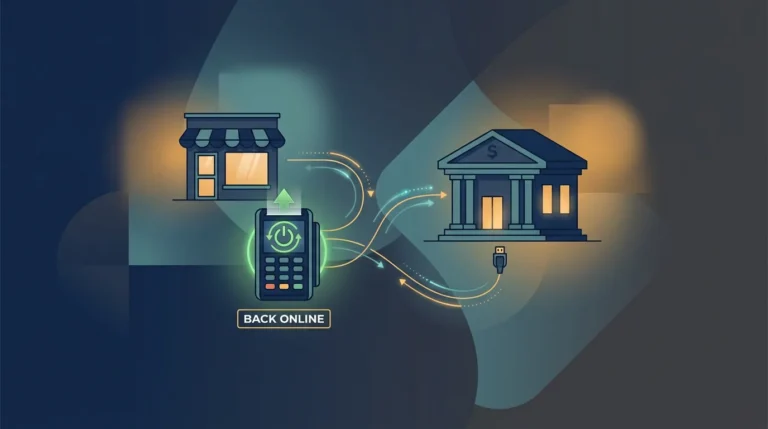
| Offline mode | Saves sales in weak signal zones | Markets, field service | What happens to receipts and funding |
| Unified reporting | Fewer reconciliation errors | Multi-channel sellers | Can you filter by location, staff, and channel? |
| Dispute tools | Protects margins | Any remote acceptance | Evidence export, alerts, timelines |
| ACH option | Lowers cost for some invoices | B2B, invoices | Customer experience and settlement time |
How to set up mobile payment options for small business without chaos
Most failures happen because owners set up payments like a gadget, then discover it behaves like finance. Treat setup as a process.
Begin with your payment lanes. Decide which sales happen in person, which happen online, which happen via invoice, and which happen by phone. That map tells you which mobile payment options for small business you require on day one.
Next, decide what you will standardize. Standardize receipts, refund rules, and customer support. One consistent set of rules across channels reduces disputes. It also reduces staff mistakes, the quiet killer of profitability.
Then choose hardware, but choose it after you choose workflow. If you need speed with multiple staff, a handheld terminal or mobile POS makes sense. If you need flexibility, a phone plus a reader or tap-to-pay acceptance may fit. The rapid growth of tap-to-phone payment technology reflects a clear market reality: more sellers are accepting payments directly from smartphones. As adoption accelerates, the real question is no longer whether the technology works, but whether it fits the needs, scale, and workflow of a specific operation.
Finally, put security and compliance into your timeline. PCI DSS exists to protect payment data, and the PCI SSC provides merchant resources to support safe practices. If you want a simple starting point, Premier Payments Online provides a PCI compliance test resource that can help owners see what steps matter as they implement mobile payment options for a small business.
Mobile payment options for a small business for edge cases that competitors gloss over
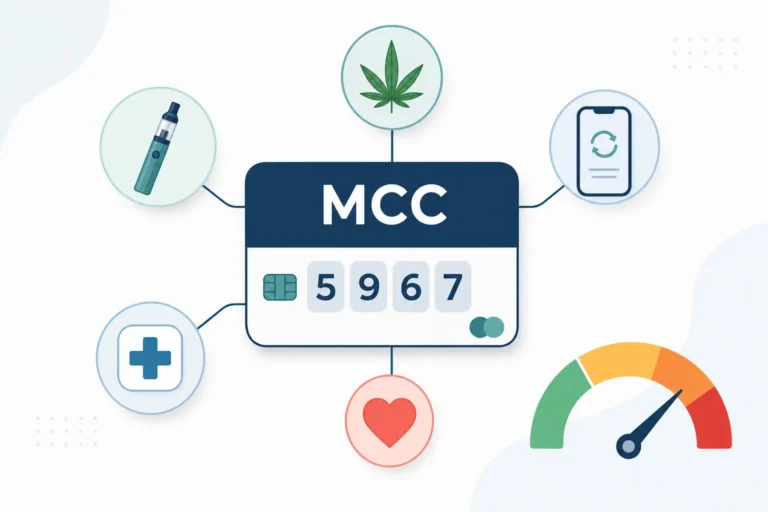
High-risk merchants face tougher underwriting, higher reserves, and stricter monitoring. If you operate in categories that banks treat as higher risk, your best move is to select mobile payment options for small business designed for that lane rather than forcing a mainstream tool that freezes funds during a dispute wave. Premier Payments Online addresses this lane under its high-risk merchant acceptance resources. CBD retailers in particular should review our guide to CBD-friendly high risk payment processing before committing to a mobile setup that could freeze funds mid-dispute.
Multi-location sellers need a system that does staff permissions, location reporting, device management, and consistent customer service. Real-time reporting becomes more than convenience; it becomes control.
Offline mode matters for markets, rural service calls, and events. A system that “works offline” but cannot produce reliable receipts, cannot reconcile later, or causes funding holds will cost more than it saves. ACH acceptance also matters when card costs hurt margins on large invoices. If your business fits that, Premier Payments Online details an ACH and check acceptance program that can complement card-based mobile payment options for small businesses.

A practical way to choose and launch with confidence
The safest path to mobile payment options for small business in the USA is boring, and boring is good: choose the payment methods your customers already use, keep one consistent policy across channels, and build in security and dispute readiness from day one. The evidence says customers already live in mobile and remote payment ecosystems, and the technology stack continues to smooth contactless experiences.
If you want a mobile-first setup that supports online acceptance, in-store acceptance, and an omnichannel view without forcing you into multiple disconnected tools, visit Premier Payments Online’s merchant services and contact us to request a channel-matched recommendation. The right mobile payment options for small business should feel invisible to customers and predictable to you, and that is the standard worth paying for.